.png)
For early-stage founders, your pitch deck often serves as your company’s first impression. Consistent, professional branding is more than just aesthetics—it's a critical trust signal for investors. With Pitches.ai v5, bringing your unique brand to life in every pitch deck has never been easier or faster, thanks to a suite of powerful visual customization tools designed for non-designers and startup teams alike.
Why Consistent Branding Matters in Investor Pitches
When investors flip through a pitch deck, they're not just assessing your business model—they're making instinctive judgments about your credibility and potential. Cohesive branding communicates that you’re serious, prepared, and attentive to detail. It’s a hallmark of teams who are ready to scale. Even on a startup budget, presenting a clean, consistently branded story can make the difference between a pass and serious interest.
A Seamless Walkthrough: Customizing Your Visual Identity
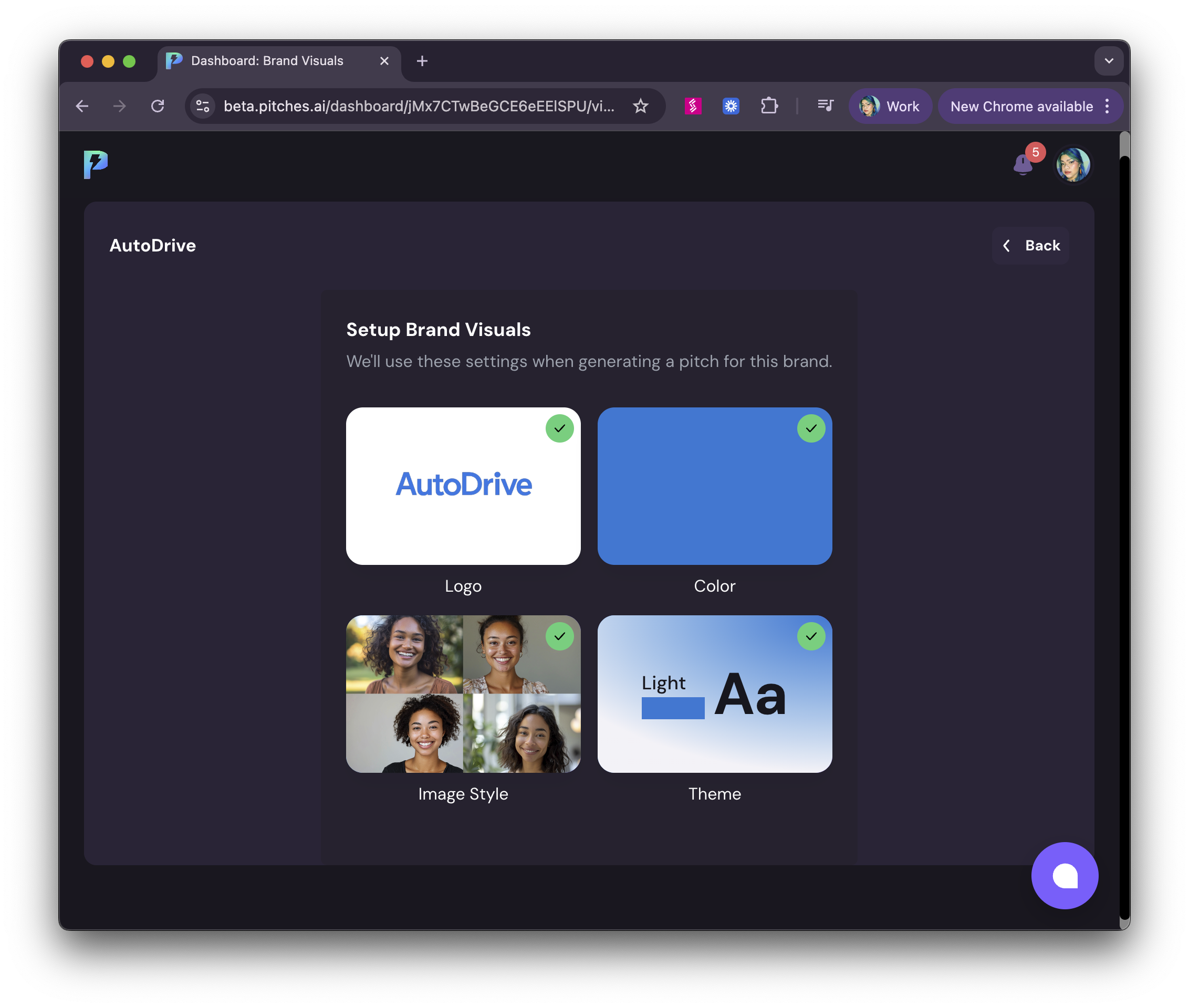
Pitches.ai v5 takes the friction out of branding your deck. Here’s how you can do it in minutes:
- Getting Started: After logging in and creating your brand, simply input your company’s basics—name, sector, and a short description.
- Context Creation: Load your core information by uploading an existing document, answering a step-by-step questionnaire, or typing your concept freestyle. All three options are available for maximum flexibility.
- Visual Customization Hub: Now, it’s time to focus on your brand’s look and feel:
- Upload Your Logo: Drag and drop your company logo to set the tone from the first slide.
- Select Your Accent Color: Choose your primary brand color—this will harmonize your entire pitch and keep things visually aligned.
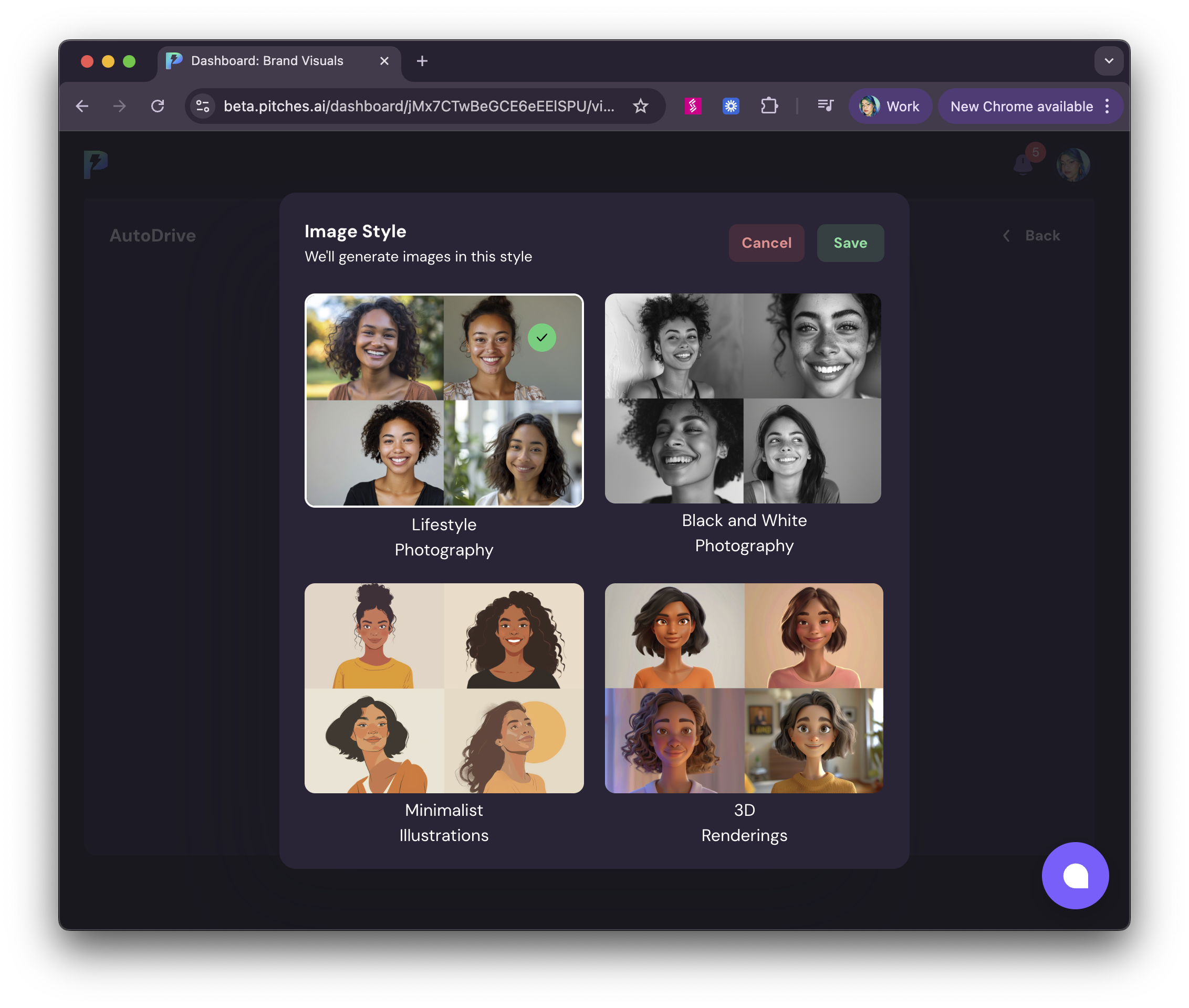
- Choose Image Style: Pick the style for your AI-generated photos to match your brand’s personality, from sleek tech visuals to warmer, more human tones.
- Theme Selection: Decide between light or dark themes to best fit your message and investor environment.
Light vs. Dark Themes: When and Why to Use Each
Can't quite envision the design of your pitch deck? Here's a quick guide:
.png)
- Light Theme: Crisp, clean, and universally trusted. Great for early morning investor meetings and traditional VCs. If your brand leans professional, healthcare, or SaaS, this theme lets your content shine without distractions.
- Dark Theme: Modern, bold, and easy on the eyes for evening demos or digital pitch competitions. Ideal for tech-forward, creative, or gaming startups aiming to spark intrigue and stand out from a stack of “safe” decks.
Side-by-Side: Branded Deck Examples

With one click, see how your pitch transforms to echo YOUR brand—no design degree required.
Pro Tips for Visual Coherence and Investor Appeal
- Prioritize Readability: Use accent colors strategically for actions or highlights—avoid over-saturating slides.
- Logo Placement: Keep your logo visible, but subtle. The top-right or bottom corner maintains professionalism.
- Image Consistency: Select an image style that complements your messaging—don’t mix ultra-realistic with cartoon-style images.
- Theme Choice: Match your audience’s expectations. Light for universal appeal, dark to stand out—but keep text high contrast for readability.
- Preview and Iterate: Before generating your pitch, use the sample headline and branding preview to tweak your settings and lock in visual consistency.
With Pitches.ai v5, every founder—regardless of resources or design expertise—can build an investor-ready pitch deck that stands out and feels distinctly theirs. Fast, flexible, and remarkably easy to use, our upgraded visual customization tools ensure your story looks as impressive as it sounds.
.png)
.png)